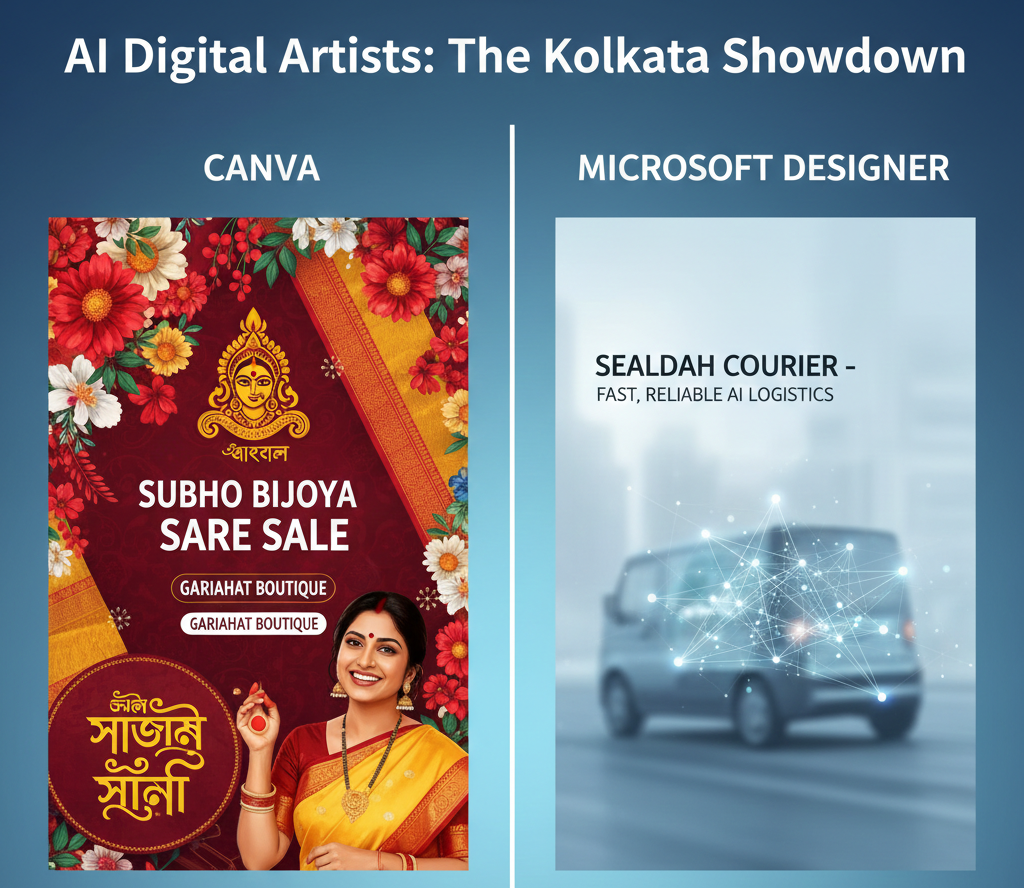
In the lanes of Gariahat, the display window (the shov-case) is everything. If it looks good, the Grahak walks in. In the digital world, your Facebook and Instagram posts are your display windows. But let’s be honest—not every shop owner has the budget to hire a professional graphic designer for every small discount banner.
Today, AI has given us two “Digital Artists”: Canva and Microsoft Designer. Both can take a simple sentence like “Create a Pujo sale banner for a boutique” and turn it into a design. But which one should you choose for your dokan?
1. Canva: The ‘Dashak’ of Digital Design
Canva is like the New Market of design—it has everything. Their “Magic Studio” AI is incredibly powerful for someone who wants variety.
- The Strength: It has thousands of Indian-centric templates. You can find layouts specifically for Subho Bijoya, Diwali, or even local Bengali New Year greetings.
- The AI Secret: Their “Magic Edit” allows you to take a photo of a plain saree and, with one brush stroke, tell the AI to “add a gold border.” It’s like having a virtual Karigor at your fingertips.
- Best For: The Lake Town Home Baker or the Baghbazar Mishti Shop who needs high-quality, colorful social media posts every single day.
2. Microsoft Designer: The ‘Quick-Fix’ Munshi
If Canva is New Market, Microsoft Designer is a quick corner shop. It is simpler, faster, and completely focused on AI generation.
- The Strength: It is very “clean.” You type a prompt, and it gives you 10 unique designs instantly. It’s integrated with DALL-E 3, so the images it creates are very artistic.
- The AI Secret: It’s better at “starting from zero.” If you have no photos and just an idea (e.g., “An abstract painting of the Howrah Bridge for a tech cafe logo”), Designer usually handles the “imagination” part better.
- Best For: The Sealdah Courier Service or a Lansdowne Yoga Studio that wants a professional, minimalist look without spending time clicking through thousands of templates.
The Comparison: At a Glance
| Feature | Canva (Magic Studio) | Microsoft Designer |
| Ease of Use | Moderate (Many options) | Very Easy (Prompt-based) |
| Local Templates | Excellent (Huge Indian Library) | Basic (International style) |
| Bengali Text | Supports most Bengali fonts | Limited Bengali font support |
| Price | Free (Pro version is paid) | Free (with Microsoft Account) |
The Digital Mahajan’s Verdict
- Use Canva if: You want your posts to look “Kolkata-ready” with the right festive colors, borders, and Bengali typography. It’s worth the 10-minute learning curve.
- Use Microsoft Designer if: You are in a massive rush. If you need a WhatsApp status update in 60 seconds and you’re okay with a more “modern/global” look, this is your tool.
Pro-Tip for the Pujo Rush: Don’t wait until Sasthi! Use the “Bulk Create” feature in Canva to design all five days of Pujo greetings in one go. Upload your logo once, and let the AI do the heavy lifting while you handle the Grahak rush at the counter.
Leave a Reply