Category: AI for Business

  • The 2026 WhatsApp Automation Playbook for Kolkata Businesses

    The 2026 WhatsApp Automation Playbook for Kolkata Businesses

    A Step-by-Step Guide for Local Shops, Service Providers & Growing SMBs

    In Kolkata, WhatsApp is not just a messaging app. It is the real operating system of local business.

    From mishti shops in Baghbazar to courier services in Sealdah, from Rajarhat pet groomers to Gariahat boutiques — customers expect fast replies, order updates, and easy communication.

    This guide shows you how to set up a simple WhatsApp automation system in under 2 hours, without coding, without hiring an agency, and without spending thousands of rupees.


    1. Why WhatsApp Is Kolkata’s Real Business Backbone in 2026

    • India has over 500+ million WhatsApp users.
    • Most customers prefer messaging over calling.
    • Email is rarely used by small retail customers.
    • During Pujo rush, message overload becomes unmanageable.

    If you run:

    • A retail shop
    • A salon
    • A courier service
    • A coaching centre
    • A pet grooming service
    • A home bakery

    WhatsApp is already your primary customer touchpoint. As of 2026, over 90% of small businesses in India use WhatsApp as their primary customer communication tool.

    The question is not whether you should use it.

    The question is:
    Are you using it efficiently?


    2. What Problems Automation Actually Solves

    Without automation:

    • You answer “Price?” 40 times a day.
    • Customers ask “Are you open today?”
    • You forget to follow up on pending orders.
    • Appointments overlap.
    • Staff give inconsistent responses.
    • Pujo season becomes chaotic.

    With basic WhatsApp Business setup:

    • Greeting messages respond instantly.
    • Quick replies save typing time.
    • Labels organise customers.
    • Catalogue shares products instantly.
    • You reduce repetitive work by 30–50%.

    Is this guide relevant for you? This guide is ideal if:

    • You receive more than 20 WhatsApp messages per day.
    • You often reply with the same message repeatedly.
    • You struggle during festive rush periods.
    • You want structure without hiring extra staff.

    This is your Digital Munshi — simple, affordable, and immediately useful.


    3. The 2-Hour Setup Guide

    Step 1: Install WhatsApp Business

    Download:

    Use a separate business number if possible.


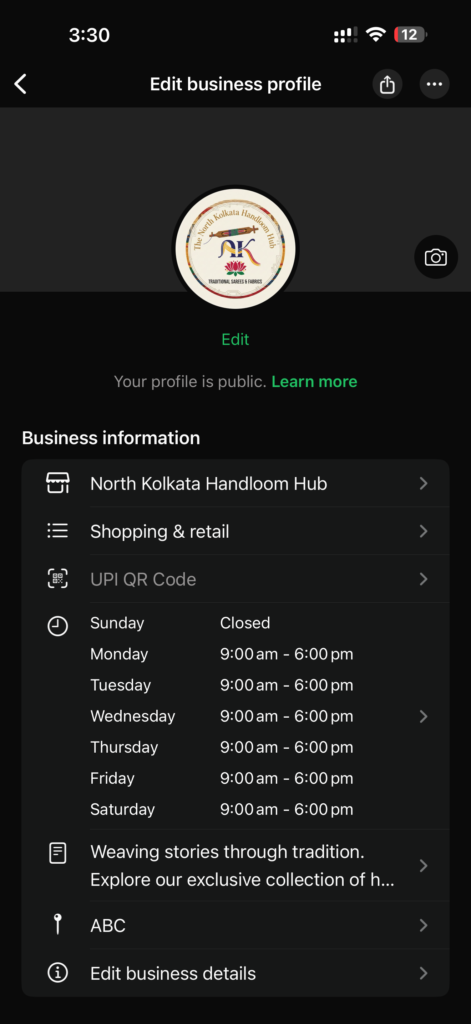
    Step 2: Set Up Your Business Profile

    Go to:
    Settings → Business Tools → Business Profile

    Fill:

    • Business Name
    • Category
    • Description
    • Address
    • Business Hours
    • Email (optional)
    • Website (if available)
    WhatsApp Business profile feature for small business

    Sample Description Template:

    “We are a Kolkata-based [type of business] serving customers in [area]. For orders and enquiries, message us anytime.”

    Keep it simple.


    Step 3: Set Greeting Message

    Go to:
    Business Tools → Greeting Message

    Turn it ON.

    Sample Greeting for Retail Shop:

    “Hello 👋 Thank you for contacting [Shop Name]. We will reply shortly. For faster service, please mention your requirement (Product / Size / Delivery).”

    Sample for Appointment-Based Business:

    “Thank you for reaching out to [Business Name]. To book an appointment, please share your preferred date and time.”

    WhatsApp greeting message feature for small business

    This ensures no customer is left without a response.


    Step 4: Create Quick Replies (Major Time Saver)

    Go to:
    Business Tools → Quick Replies

    Create shortcuts like:

    /price
    “Please tell us the product name or send a picture.”

    /location
    “We are located near [Landmark]. Here is the Google Maps link:”

    /timing
    “Our working hours are 10 AM – 8 PM.”

    /order
    “Please share your order details along with delivery address.”
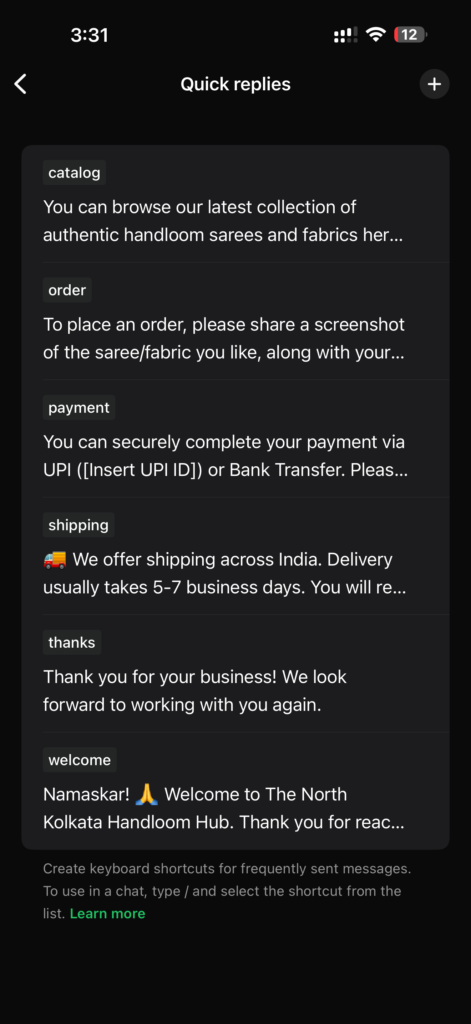
    WhatsApp quick reply feature for small business

    This alone can save 1–2 hours per day.


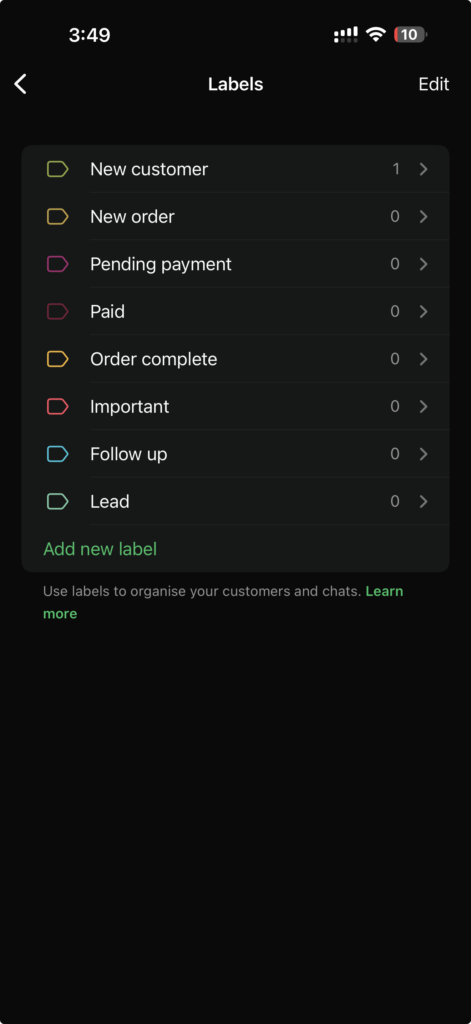
    Step 5: Use Labels as a Mini CRM

    This is one of the most powerful features.

    Go to:
    Business Tools → Labels

    Create labels like:

    • New Enquiry
    • Order Confirmed
    • Payment Pending
    • Order Dispatched
    • VIP Customer
    WhatsApp Business labels feature for small business

    Now you can filter chats instantly.

    For a courier in Sealdah or boutique in Gariahat, this prevents chaos during busy seasons.


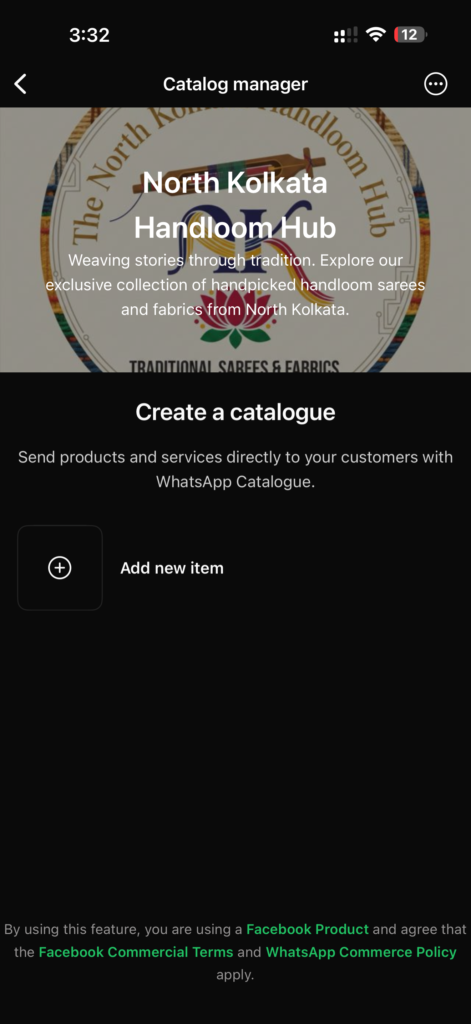
    Step 6: Add Products to Catalogue

    Go to:
    Business Tools → Catalogue

    Add:

    • Product Name
    • Price
    • Description
    • Image
    WhatsApp catalogue creation feature for small business

    Now instead of typing details, you can send catalogue items directly.

    For growing businesses (₹20L+ turnover), this looks professional and reduces back-and-forth.


    4. Real Kolkata Use Cases

    Gariahat Boutique

    • Uses labels for “Trial Pending” and “Alteration Required.”
    • Sends catalogue via WhatsApp instead of Instagram DMs.

    Sealdah Courier

    • Quick reply for “Tracking Status.”
    • Labels for “Out for Delivery.”

    Rajarhat Pet Groomer

    • Greeting message handles 11 PM booking requests.
    • Labels for “Next Grooming Due.”

    Salt Lake Coaching Centre

    • Auto greeting.
    • Quick reply for “Fee Structure PDF.”

    This works across business sizes.


    5. Cost Breakdown (₹)

    Basic Setup: FREE
    Time Investment: 1–2 hours

    Optional Paid Tools (only if scaling):

    • Automation platforms: ₹2,000–₹5,000 per month
    • CRM integration: ₹3,000+ per month

    Most small businesses do NOT need paid tools initially.

    Start simple.


    6. Mistakes to Avoid

    • Over-automating everything
    • Sending spam broadcasts
    • Ignoring customer tone
    • Not responding manually when needed
    • Using only English (use Bengali/Hindi mix if required)

    Automation should support human touch, not replace it.


    7. 7-Day Implementation Plan

    Day 1: Install & setup profile
    Day 2: Create greeting message
    Day 3: Add 5 quick replies
    Day 4: Create 5 labels
    Day 5: Upload 5 catalogue items
    Day 6: Train staff
    Day 7: Review & refine responses

    Within one week, your business communication becomes structured.


    Final Verdict: Your Digital Munshi Has Arrived

    You do not need complex AI tools to modernise your dokan.

    WhatsApp Business itself is your first Digital Munshi.

    Start here.

    Then scale gradually.

    Kolkata businesses don’t need hype.
    They need simple, practical systems that save time and reduce stress.

    This is Step 1.

    To take your business and customer management to the next step read our Customer Relationship Management Guide for Businesseses in Kolkata.


    Frequently Asked Questions

    Is WhatsApp Business free for small businesses in India?

    Yes, the basic version of WhatsApp Business is free. Most small businesses do not need paid tools initially.

    Can I use WhatsApp Business on the same phone as personal WhatsApp?

    Yes, you can install WhatsApp Business alongside regular WhatsApp if you use a separate phone number.

    Is WhatsApp automation legal in India?

    Using official WhatsApp Business tools and APIs is legal. Avoid spam broadcasting to unknown contacts.

  • Beyond the Glass Towers: How Sector V Professionals are using AI to reclaim their ‘Adda’

    Beyond the Glass Towers: How Sector V Professionals are using AI to reclaim their ‘Adda’

    If you are reading this from a cubicle in RDB Boulevard, Infinity Benchmark, or Technopolis, you know the “Sector V lifestyle” isn’t exactly a movie. It’s a 9-to-9 hustle, navigating the Karunamoyee traffic, and surviving on endless cups of plastic-cup cha while your Jira tickets pile up.

    In the land of glass towers and “Onsite-Offshore” syncs, we are surrounded by technology. But ironically, we are often the last ones to use it for our own peace of mind. For the Salt Lake techie, AI shouldn’t just be something you “build” for a client in London—it should be your personal Munshi that helps you log off by 6 PM.

    Killing the “Meeting that could have been an Email”

    We’ve all been there—stuck in a 1-hour Zoom call where only 5 minutes were relevant to you. For a tech-savvy professional, manually taking minutes is a waste of buddhi.

    • The Sector V Move: Use AI meeting assistants (like Fireflies or Otter) to transcribe and summarize the “Action Items.”
    • The Benefit: Instead of re-watching a recording, ask the AI: “What did the PM say about the Kolkata delivery deadline?” Done. You just saved 45 minutes of your life.

    The “Benglish” Coding & Content Assistant

    Whether you are writing a technical documentation or a formal email to a difficult manager, the “blank screen syndrome” is real.

    • The AI Pro-Tip: Don’t just use AI to write code. Use it to explain legacy code left behind by a developer who quit 3 years ago. Use specialized LLMs to refactor your scripts or even draft that “Leave Application for Pujo” in a tone that is professional yet firm.

    Automating the “Personal Hisab”

    Between the high rents of New Town and the weekend bills at City Centre, the Sector V salary often disappears faster than a plate of Phuchka.

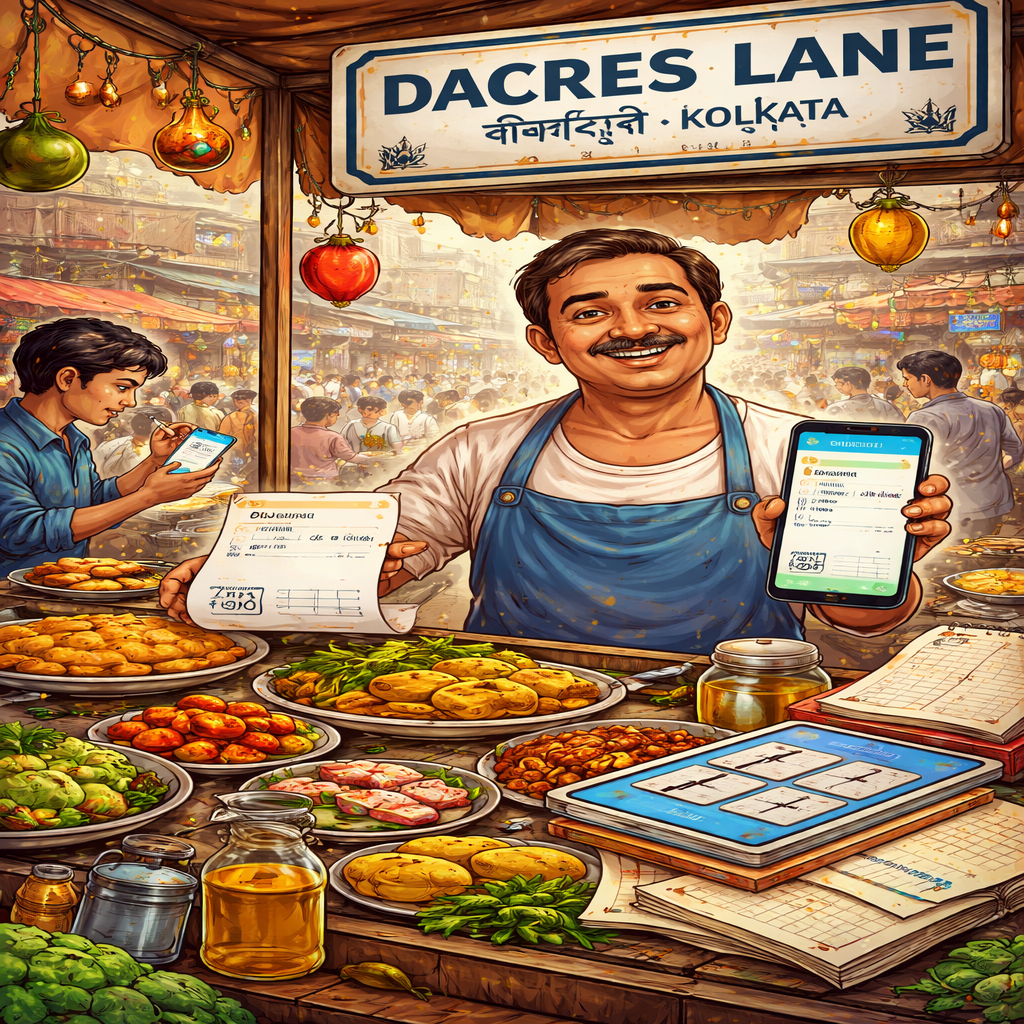
    • As we discussed in our Dacres Lane Digital Hisab guide, the “Red Khata” logic applies to you too. Use AI-integrated expense trackers to scan your Swiggy and Uber receipts. Let the machine tell you exactly how much you spent on “Stress Eating” last month.

    Health in the IT Hub

    Sitting for 10 hours at a desk in Sector V is the new smoking. While the Lansdowne seniors are doing AI-Yoga, the younger IT crowd is facing “Tech Neck” and high cortisol.

    • The Hack: Use AI wearables to track your “Deep Work” vs. “High Stress” cycles. If your heart rate spikes during a sprint planning, your AI should nudge you to go for a walk toward the Nalban lake area.

    From Coder to Mahajan Sector V doesn’t need more “workers”; it needs more masters of their own time. By automating the “clerical” parts of your IT job—the emails, the summaries, the scheduling—you aren’t being lazy. You are being efficient. You are reclaiming the time for a proper adda at the Salt Lake Central Park or a quiet evening at home without a laptop glowing in your face.

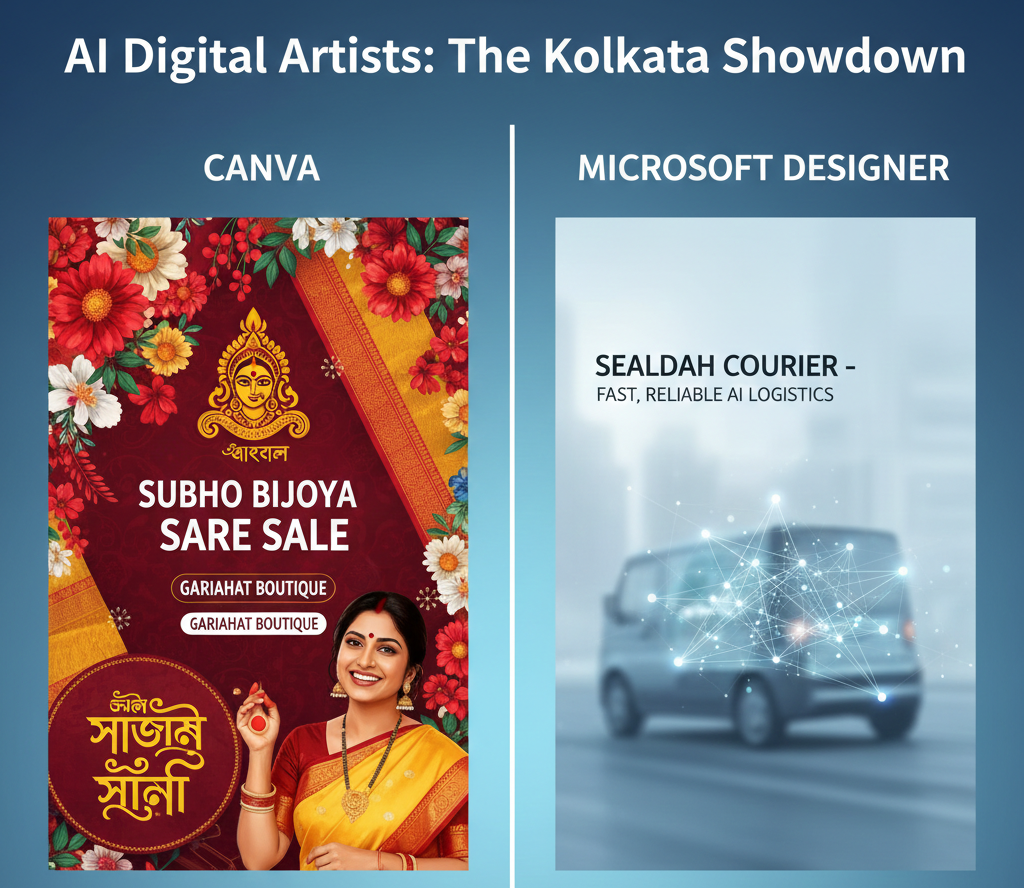
    Pro-Tip for the Sector V Hustler: If you’re feeling the “Pujo pressure” while managing a global launch, check out our Canva vs Microsoft Designer guide. You can automate your team’s festive greetings in minutes and get back to what matters.

  • Canva vs Microsoft Designer: Which ‘Digital Artist’ is Best for Your Kolkata Business?

    Canva vs Microsoft Designer: Which ‘Digital Artist’ is Best for Your Kolkata Business?

    In the lanes of Gariahat, the display window (the shov-case) is everything. If it looks good, the Grahak walks in. In the digital world, your Facebook and Instagram posts are your display windows. But let’s be honest—not every shop owner has the budget to hire a professional graphic designer for every small discount banner.

    Today, AI has given us two “Digital Artists”: Canva and Microsoft Designer. Both can take a simple sentence like “Create a Pujo sale banner for a boutique” and turn it into a design. But which one should you choose for your dokan?


    1. Canva: The ‘Dashak’ of Digital Design

    Canva is like the New Market of design—it has everything. Their “Magic Studio” AI is incredibly powerful for someone who wants variety.

    • The Strength: It has thousands of Indian-centric templates. You can find layouts specifically for Subho Bijoya, Diwali, or even local Bengali New Year greetings.
    • The AI Secret: Their “Magic Edit” allows you to take a photo of a plain saree and, with one brush stroke, tell the AI to “add a gold border.” It’s like having a virtual Karigor at your fingertips.
    • Best For: The Lake Town Home Baker or the Baghbazar Mishti Shop who needs high-quality, colorful social media posts every single day.

    2. Microsoft Designer: The ‘Quick-Fix’ Munshi

    If Canva is New Market, Microsoft Designer is a quick corner shop. It is simpler, faster, and completely focused on AI generation.

    • The Strength: It is very “clean.” You type a prompt, and it gives you 10 unique designs instantly. It’s integrated with DALL-E 3, so the images it creates are very artistic.
    • The AI Secret: It’s better at “starting from zero.” If you have no photos and just an idea (e.g., “An abstract painting of the Howrah Bridge for a tech cafe logo”), Designer usually handles the “imagination” part better.
    • Best For: The Sealdah Courier Service or a Lansdowne Yoga Studio that wants a professional, minimalist look without spending time clicking through thousands of templates.

    The Comparison: At a Glance

    FeatureCanva (Magic Studio)Microsoft Designer
    Ease of UseModerate (Many options)Very Easy (Prompt-based)
    Local TemplatesExcellent (Huge Indian Library)Basic (International style)
    Bengali TextSupports most Bengali fontsLimited Bengali font support
    PriceFree (Pro version is paid)Free (with Microsoft Account)

    The Digital Mahajan’s Verdict

    • Use Canva if: You want your posts to look “Kolkata-ready” with the right festive colors, borders, and Bengali typography. It’s worth the 10-minute learning curve.
    • Use Microsoft Designer if: You are in a massive rush. If you need a WhatsApp status update in 60 seconds and you’re okay with a more “modern/global” look, this is your tool.

    Pro-Tip for the Pujo Rush: Don’t wait until Sasthi! Use the “Bulk Create” feature in Canva to design all five days of Pujo greetings in one go. Upload your logo once, and let the AI do the heavy lifting while you handle the Grahak rush at the counter.

  • The Smart “Hisab” of Dacres Lane: Why Your Red Khata Needs a Digital Upgrade

    The Smart “Hisab” of Dacres Lane: Why Your Red Khata Needs a Digital Upgrade

    Welcome to Dacres Lane, the heart and stomach of Kolkata’s office para! From the legendary Chitto Babur Dokan to the hidden stalls serving the perfect Fish Fry and Chilli Chicken, this lane is a symphony of speed and skill.

    Every day, you serve hundreds of hungry office-goers who are in a hurry to get back to their desks. We know that running a successful food stall here is all about the shakti (energy) and understanding exactly what your Grahak wants. But behind the steam and the sizzling pans, there is the constant headache of managing daily costs—the Hisab.

    For generations, the trusty Lal Khata (red ledger) has been our go-to partner. But in 2026, what if your Khata could talk back to you? This is where a simple Digital Munshi (AI) on your smartphone can save you thousands of rupees without any complicated “tech-talk.”


    From the Lal Khata to a Digital “Munshi”

    For years, that red ledger has been the backbone of your business. It holds every record, from the morning’s vegetable run at Baithakkhana Market to the 20-liter jars of cooking oil.

    • The Problem: During a chaotic 2 PM lunch rush, it’s easy to forget to write down a small expense. A page gets smudged with oil from a Kabiraji, or a bill gets lost in the pile. Over a month, these small “misses” are like a slow leak in a water tank—you lose money without realizing it.

    • The AI Fix: Imagine a Digital Khata on your phone. You don’t need to be an IT expert from Sector V to use it. You can just take a photo of a bill, and the AI automatically reads the prices. Or, even better—use your voice. Just tell your phone: “5 kilos of Ada (ginger) for 400 rupees,” and the app logs it instantly. No more oily fingers on paper!


    Beating the “Pujo Price Rise” with Data

    Every experienced Dokan-dar knows that as Mahalaya approaches, the price of chicken, fish, and even onions starts to dance. How do you know if your regular supplier is giving you a fair dar (price) or just taking advantage of the Pujo rush?

    How your Digital Munshi helps:

    1. Price Tracking: Because the AI has been tracking your costs all year, it can show you a simple chart. You can see exactly how the price of potatoes climbed from July to September last year.

    2. Smart Bulk Buying: Just like the big restaurants in Park Street, you can use this info to plan ahead. If the AI shows that oil prices always spike in October, you can buy your stock in bulk in September, locking in a lower price.

    3. Negotiation Power: When you talk to your wholesaler in Burrabazar, you won’t just be guessing. You can show them the data: “Dada, last month the rate was this much, why the sudden jump?” Data gives you the upper hand.


    The Verdict: Tradition Meets Efficiency

    Switching to a simple AI tool isn’t about throwing away your traditions. The soul of your dokan will always be your secret recipes and the hard work of your Karigars.

    Think of AI as a silent partner who handles the “boring” paperwork, so you can focus on the Aromas and the Adda. You are not just tracking expenses; you are making sure your Dacres Lane legacy thrives for another 50 years. You might also need to predict the daily demand for your sweets so nothing goes to waste.

    Pro-Tip for the Dacres Lane Hero: Don’t try to track everything at once. For the first week, just track your “Big Three”: Chicken, Oil, and Gas. Once you see the savings, adding the rest will feel like a breeze.

  • Why Rajarhat’s Furry ‘Grahaks’ Need a Digital Munshi

    Why Rajarhat’s Furry ‘Grahaks’ Need a Digital Munshi

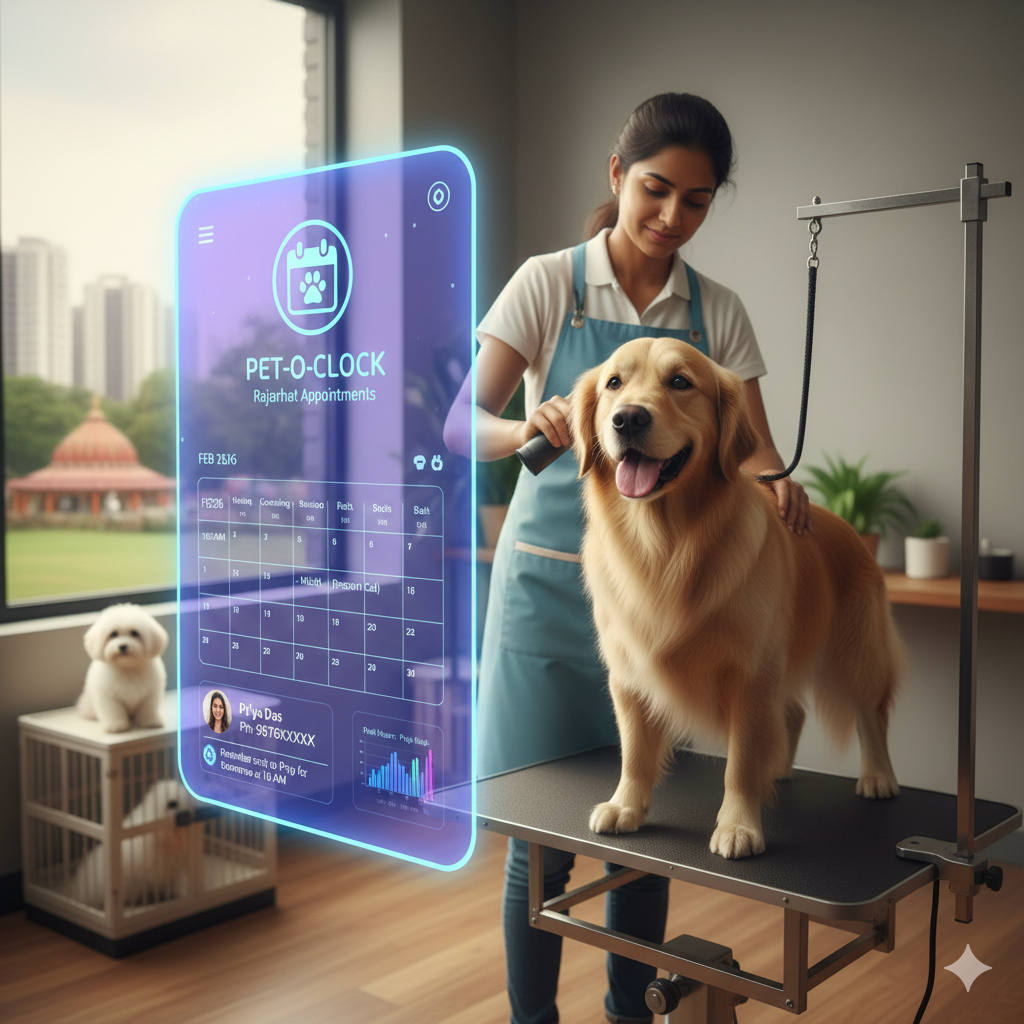
    If you run a pet grooming dokan in Rajarhat, you know that your shop is more than just a business—it’s a spa for our four-legged family members. From a fluffy Shih Tzu needing a summer trim to a majestic Golden Retriever getting ready for a Pujo photo shoot, your hands are full of love and soap suds.

    But we’ve all seen the chaos: the phone rings incessantly while you’re trying to calm a nervous Indie pup. The waiting room is full of barking dogs and impatient owners. In the hustle, a booking gets missed in the khata, and suddenly, a loyal Grahak is upset.

    It’s time to move beyond the paper diary. Let’s talk about how Smart AI Scheduling can keep the tails wagging and your business growing.


    Why the “Old Khata” is Stressing Out the Pets

    For generations, Kolkata businesses have survived on trust and a handwritten ledger. But in a fast-paced area like Rajarhat, a manual system has its limits:

    • The “Barking” Waiting Room: When appointments overlap, pets get stressed. A nervous cat and a loud dog in the same small space is a recipe for a “Pet-astrophe.”
    • The Distracted Karigor: Your groomers are artists. Every time they stop to answer a call about “available slots,” they lose focus on the pet on the table.
    • The Pujo Chaos: During the festive rush, double-bookings happen. A frustrated owner who waited 45 minutes might not come back for the next Bhai Phonta grooming session.

    AI: Your Shop’s New 24/7 Receptionist

    Think of AI as a smart assistant that never sleeps. It’s an online booking system that works while you’re busy with a shampoo.

    How it changes the life of a Pet Parent: Imagine a “Pet Mom” in a New Town complex. It’s 11 PM, and she realizes her Bhutoo (her pet’s daak naam) needs a nail trim. Instead of waiting for morning, she clicks a link on your Instagram, sees your real-time calendar, and books the 10 AM slot for Tuesday.

    • Automatic Reminders: The system sends a WhatsApp reminder: “Don’t forget Bhutoo’s spa day tomorrow at 10 AM!” This slashes no-shows and keeps your schedule tight.
    • Personalized Care: The AI keeps a record. You’ll know that Piklu the Beagle is terrified of dryers, or that Mishti the Persian cat needs extra-gentle handling.

    Smart Benefits for the Rajarhat Entrepreneur

    1. 24/7 Booking: Your dokan is “open” even when the shutters are down.
    2. Inventory Smarts: The system can tell you: “You have 10 Golden Retrievers booked this week—better stock up on the de-shedding shampoo!”
    3. Happy Staff: Your Karigars can focus 100% on the pets, leading to better cuts and happier animals.

    Pro-Tip: Start Small, Think Local

    You don’t need to be a tech genius. Start by using a free or low-cost tool like Goldie or Picktime.

    Try this: Put a QR code on your shop window that says: “Skip the queue! Scan to book Bhutoo’s next haircut instantly.” It’s not about losing the personal touch; it’s about having more time to actually talk to your customers about their pets while the AI handles the “boring” paperwork.

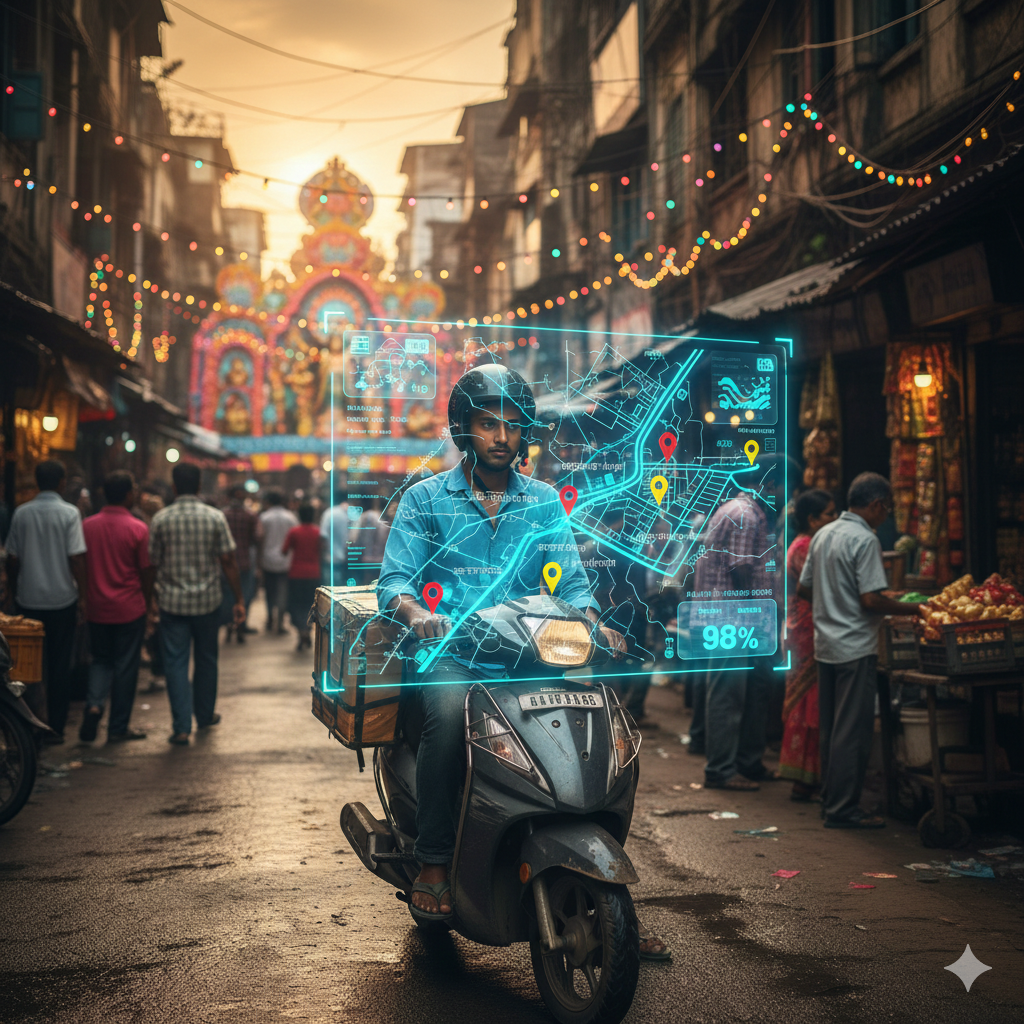
    Let’s make Rajarhat the happiest place for pets, one smart appointment at a time. In fact, efficiency isn’t just for pet shops; even Sealdah’s busy courier services are using AI to ensure timely deliveries.

  • Sealdah’s Courier Gets a Smart AI Delivery Upgrade

    Sealdah’s Courier Gets a Smart AI Delivery Upgrade

    The heart of Kolkata beats loudest at Sealdah. It’s a beautiful, sweaty symphony where the morning cha at a roadside stall meets the high-stakes hustle of the station. For a local courier service, Sealdah is the ultimate test.

    During the Pujo rush, the city doesn’t just get crowded—it explodes. Every dokan in Sealdah and Burrabazar is sending out gifts, and every home is waiting for that Pujor jama. But here, the challenge isn’t just the traffic; it’s the Kolkata Address.

    Navigating the “Landmark” Puzzle

    A Kolkata address isn’t just a house number; it’s a short story.

    “Blue color bari, second lane after the big sweet shop, opposite the water tank… ask for Das-babu’s house.”

    Standard GPS gives up here. For years, the solution was the Karigor’s brain. An experienced delivery person relies on memory, landmarks, and stopping five times to ask, “Dada, Das-babu-r bari konta?” (Brother, which one is Das-babu’s house?).

    While this personal touch is our city’s charm, during Pujo, it’s a recipe for disaster. One confused Karigor stuck in a Burrabazar goli can delay fifty other deliveries. This is where we’ve brought in a Digital Munshi—Artificial Intelligence.

    How AI Becomes a “Smart Assistant” for the Karigor

    Think of AI not as a robot, but as a super-smart assistant that finally “understands” Kolkata. Our system is trained to decode:

    • Missing Numbers: It knows that “House near the Peepal tree” corresponds to a specific point.

    • Spelling Messes: It recognizes “Shambazar,” “Shyambazar,” and “Syambazar” as the same place.

    • The “Goli” Secret: It learns from past deliveries that the “ATM Lane” is actually an unnamed shortcut to three major apartment blocks.

    The Human-Tech Partnership

    When a vague address comes in, the AI cross-references it with thousands of past successful drops. It “pins” the exact door on the Karigor’s phone.

    Now, the Karigor doesn’t waste fuel wandering around. He moves through the city like a pro, whether he’s in the planned sectors of Salt Lake or the maze-like lanes near College Street.

    • Faster Deliveries: No more “Where is my parcel?” calls.

    • More Income: Our Karigors finish their rounds faster, meaning they can deliver more and earn more before heading home for their own Pujo celebrations.

    • Reliability: The Grahak (customer) gets their Pujo gifts on time, and the Dokan builds a name for being dependable.

    The Verdict: Street Smarts + Tech Smarts

    This isn’t about replacing our people; it’s about giving them “Superpowers.” The AI gets them to the lane, but the Karigor’s human touch—knowing which floor to go to and greeting the family with a smile—is what makes it a true Kolkata service.

    Pro Tip for Sealdah Shop Owners: You don’t need to be a tech giant to do this. Start using a simple delivery management app that has “Address Verification.” It’s the easiest way to make sure your Lakshmi stays on track this festive season.